Syllabus to study plan

Know what needsyou today.

Import a syllabus. Review every date. Get a calm plan for what to do next.

Free to downloadReview every dateStore disclosures report no data collected

Optional StudyPlanner Plus features are available in the app.

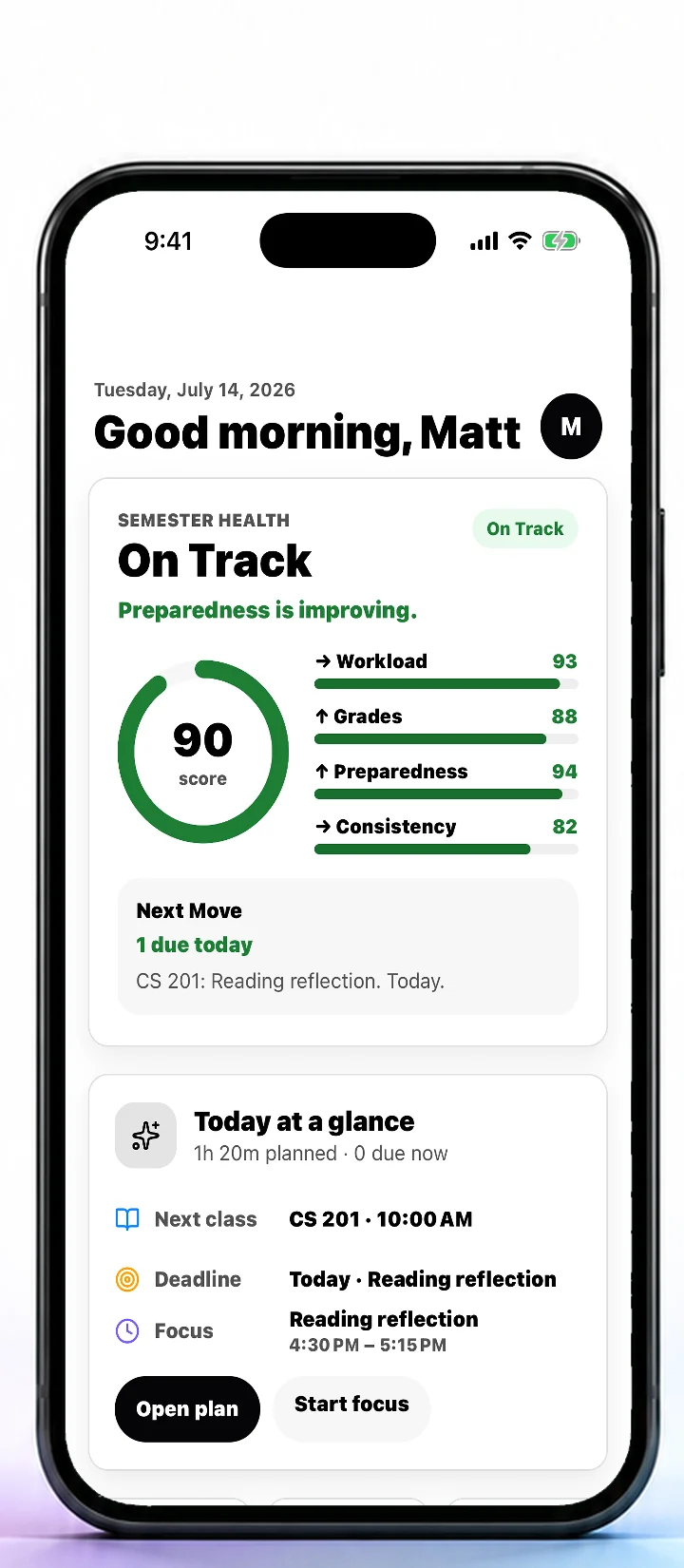
StudyPlanner Today dashboard
Current screens from the live App Store listing

One calmer semester, wherever you study.

iPhoneiPadAndroid12 locale options

From document to direction

A whole semester in three clear moves.

The speed of AI, with a review step that keeps you in control.

01

Import the syllabus

Scan a page or choose a file. StudyPlanner finds classes, assignments, exams, and dates.

02

Review every detail

Edit, remove, or approve each item. Uncertain dates stay visible instead of becoming silent mistakes.

03

See the next move

Your plan balances deadlines, focus time, course health, and the work that needs you now.

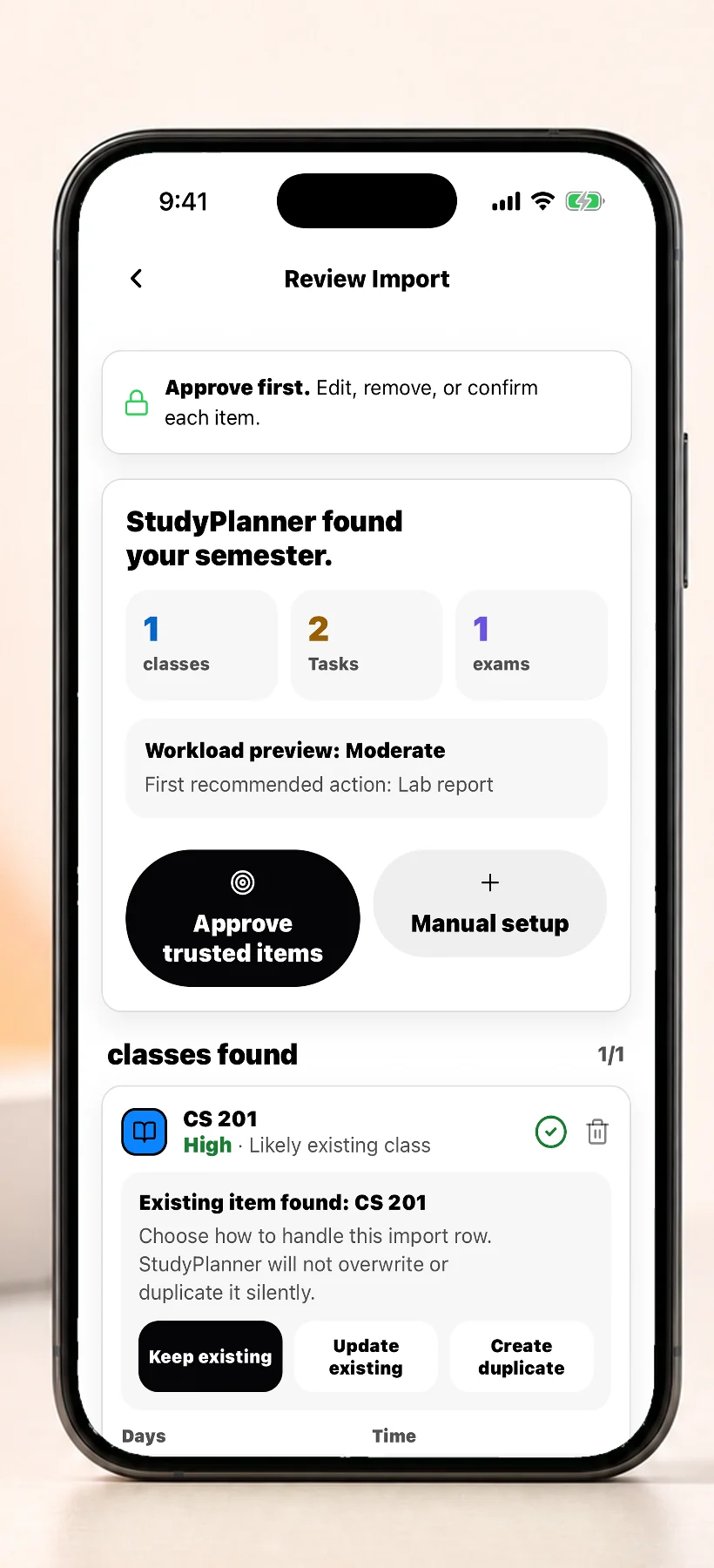
StudyPlanner Review Import screen

Built for trust

Approve first. Stay in control.

AI gets you to the decision faster. You still own the decision. Review dates, fix course details, and approve only what belongs in your semester.

  • 01Uncertain dates stay flagged
  • 02Every item is editable before saving
  • 03Store disclosures report no app data collected
Get the app

The semester, made visible

Less organizing. More knowing what to do.

Today

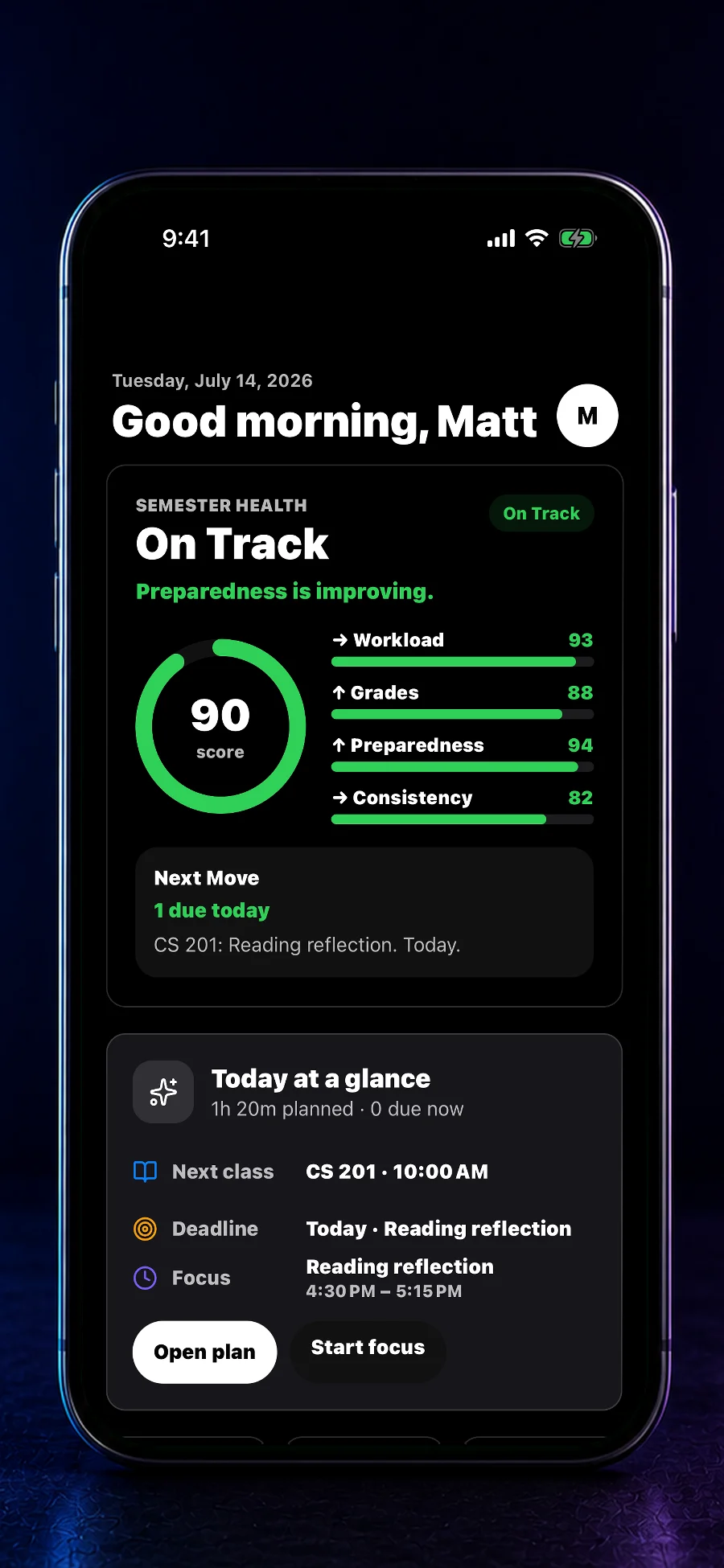
Your whole semester. One next move.

See course health, today’s deadline, and the study block that deserves your attention.

StudyPlanner dark Today dashboard
Autopilot

See heavy weeks before they hit.

A balanced calendar turns real deadlines into focused study blocks.

StudyPlanner Plan calendar
Private by design

Your coursework is not our business.

The store disclosures report no app data collected or shared.

A planner that understands school

More than dates on a calendar.

A calendar remembers when. StudyPlanner also helps you review what came from the syllabus and decide what needs attention next.

StudyPlanner comparison
WorkflowCalendar aloneStudyPlanner
Import a syllabusManual entryIncluded
Review uncertain datesNot built inBefore saving
See course healthNot built inAt a glance
Find the next moveSearch eventsPrioritized

Before you open the app

Your next move, right on the Home Screen.

Today, Upcoming, Week, and Class Progress widgets keep the next move visible. Optional Privacy Mode can hide assignment names.

Explore StudyPlanner Plus
Current StudyPlanner Home Screen widgets

Questions, answered

Start with the syllabus. Stay in control.

What does StudyPlanner AI do?

StudyPlanner turns a syllabus or course document into reviewable classes, assignments, exams, and dates, then helps organize the work into a practical study plan.

Does StudyPlanner save AI-extracted dates automatically?

No. You can review, edit, remove, or approve extracted items before they are saved to your semester.

Is StudyPlanner free?

StudyPlanner is free to download. Optional StudyPlanner Plus features are available through in-app purchases.

Does StudyPlanner collect app data?

The current App Store and Google Play disclosures state that the app does not collect or share app data.

Which devices does StudyPlanner support?

StudyPlanner is available for iPhone, iPad, and Android devices.

The Study Guide

A better system for the semester.

Explore all guides

Ready when the syllabus is

Plan the semester.
Protect the week.

Import the syllabus. Review every date. Know what needs you today.

More from the studio

Eleven focused products. One small studio.

StudyPlannerAI syllabus and semester planningBetTaxGambling tax records and review packetsVIN DeductVehicle-loan interest records and estimatesDRAWBALLDaily football drawing and triviaROUTEDaily football route puzzleCALL SHEETFootball franchise simulatorSunday PaperDaily football crossword triviaCastle AtlasFortified sites by country and regionMedCardPrivate medical card and visit organizerShiftPayShift calendar and gross-pay planningMatchdayDaily soccer crossword and trivia